Send pup a direct message to contact your server’s staff. The server must have modmail enabled and you must meet its eligibility rules. If several servers are available, choose the intended server from pup’s menu.
pup relays the message and allowed attachments to that server’s private staff inbox. It does not send the DM to every server you share.

Set up the inbox

You need server configuration access. Open Support → Modmail in the server dashboard.
1

Choose the staff inbox

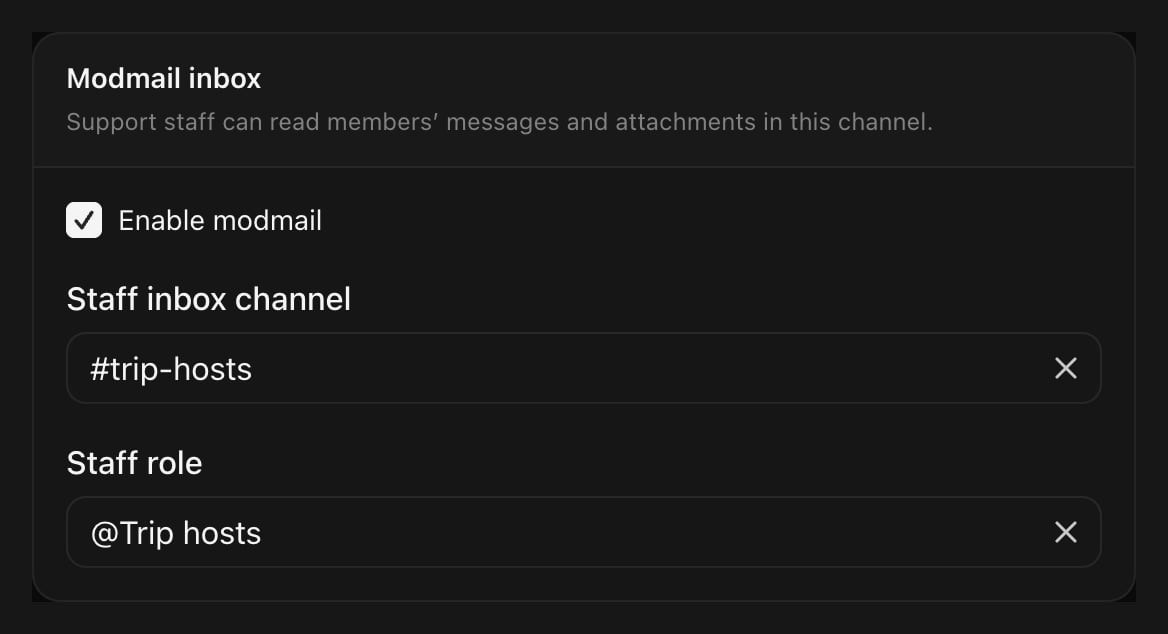
Select a staff-only Discord text channel under Staff inbox channel. The support team and pup need access to it.
2

Choose the team

Set Staff role to the role that should handle these conversations. Staff also need Manage support conversations. The server owner can open conversations without this role.
3

Review the limits

Open Advanced settings to restrict eligible members, set attachments per message and maximum file size, or choose accepted file types. Leave Members who can use modmail at All server members to allow any current member.
4

Enable and save

Select Enable modmail, then Save modmail settings. Turning the inbox off stops new routing. Existing conversations keep their original team and destination.
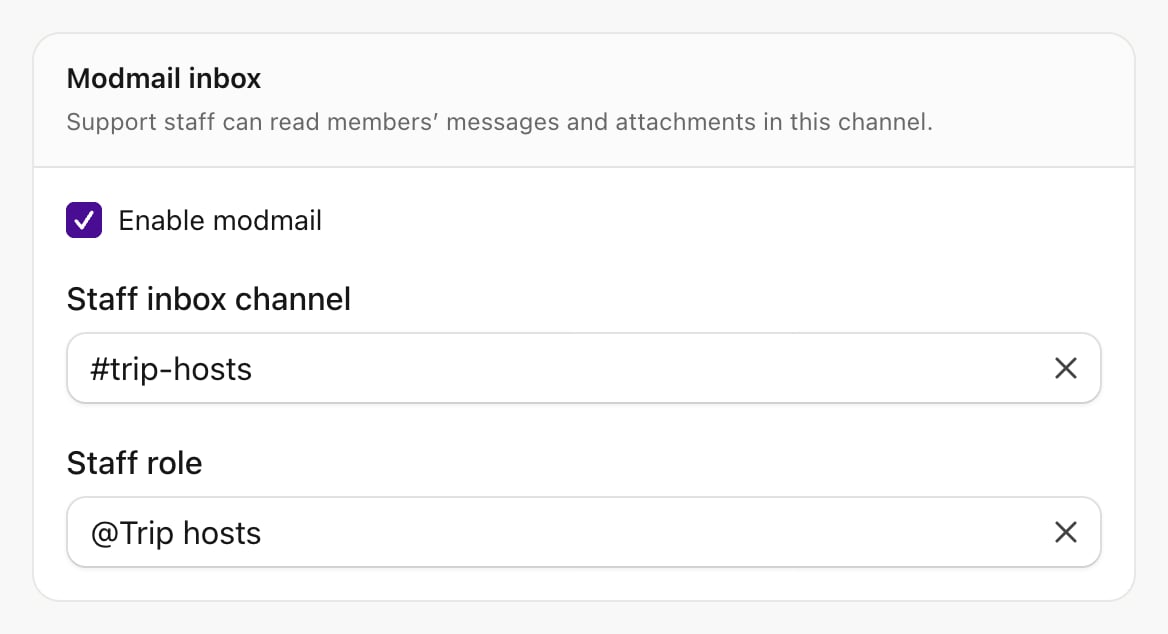
Modmail is enabled for Juniper Club with a private trip-hosts inbox and the Trip hosts staff role.

Inbox policy

Discord DMs do not include a server identity. If a member is eligible for exactly one open inbox, pup routes the message there. If more than one is available, choose a server by name from the menu beside your message. pup then forwards the original message and its attachments to that server. Members can send modmail stop <server id> to opt out of a server inbox, and modmail start <server id> to opt back in. If the ticket is closed, the member has left or Discord cannot deliver, the conversation shows the problem. Resolve it before retrying.

Staff replies and closure

Staff need the Manage support conversations task and membership in the conversation’s configured team. The verified server owner can read and manage conversations without the configured staff role. Server configuration access or installation-operator status alone does not open private conversations in the dashboard. Use Support → Inbox to search, read and reply, or reply directly to the relevant pup relay in Discord. Dashboard replies are text-only and show staff attribution; attachments can still be sent through Discord. Replies show whether they are sending, delivered or failed. pup retries interrupted sends with the same message identity to prevent duplicate posts. Use Retry reply after a failure. The dashboard shows only this conversation’s relay records. It never reads the member’s whole DM history. Internal notes are visible to the configured support team and the server owner, and are never sent to Discord. Viewing messages does not create a retained transcript, and the channel-history transcript generator is unavailable for modmail. Closing stops relay for this conversation; it does not lock the shared DM channel. Reopening requires current server membership and never overrides opt-out. Existing conversations keep their original staff team and destination.